
Training 16: The truss designer
Three types design a whole truss: Wood truss, Steel truss and Cold-formed steel truss. They work the same way.
All three carry a label on the screen, the report and the sheet: Preview: not yet verified, do not rely on these results. The label is there because no published complete truss example is on file for any of the three: see the verification section of each chapter. Treat a result as a starting point and check it by hand or with your truss supplier's design.
In the Wizard #
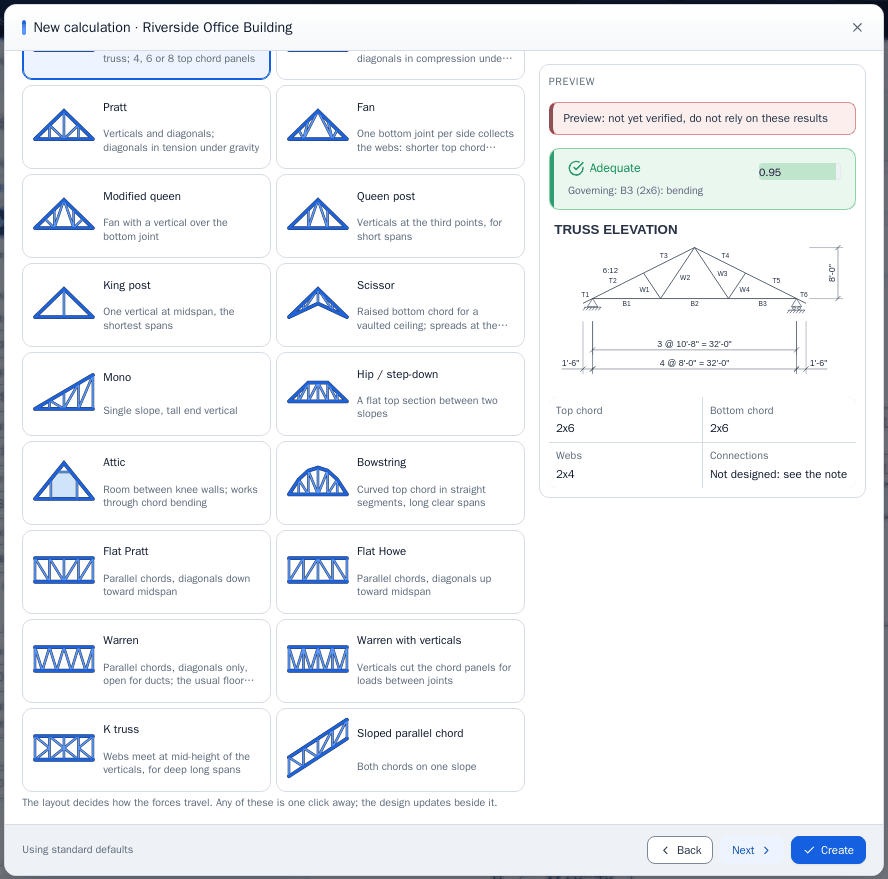
The truss spreads over pages: Truss (roof or floor, and the layout by picture), Geometry, Loads, Members and bracing. The design updates beside every page, and Create works from any page.
Worked example: a Fink roof truss in wood #
| Input | Value |
|---|---|
| Use, layout | Roof truss, Fink |
| Span, pitch | 28 ft, 5 in 12 |
| Overhangs, spacing | 1.5 ft each end (default), trusses at 2 ft |
| Loads | Top chord dead 10 psf, roof live 20 psf, bottom chord dead 7 psf, no wind |
| Material | Douglas Fir-Larch, No. 1 |
| Size the members automatically | On |
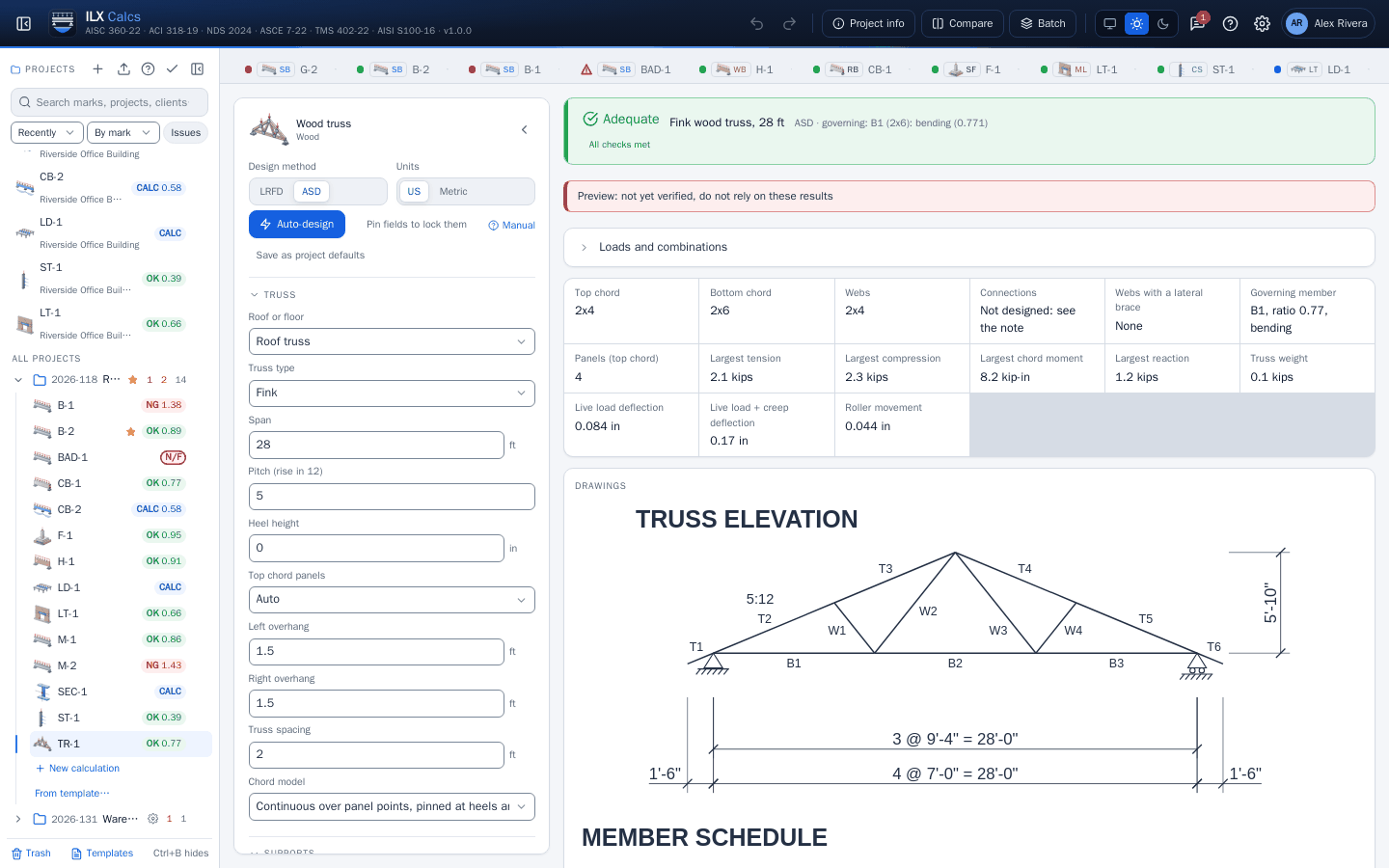
Fink wood truss, 28 ft, Adequate by ASD, with the preview label. Automatic sizing chose a 2x4 top chord, a 2x6 bottom chord and 2x4 webs.
| Check | Clause | Required | Available | Ratio | Governs |
|---|---|---|---|---|---|
| B1 (2x6): bending | ANSI/TPI 1-2022 7.3.3 | 1,083 psi | 1,405 psi | 0.771 | 1D + 1 person at B1 |
| T3 (2x4): axial + bending | ANSI/TPI 1-2022 7.3.5 | 0.733 | 1 | 0.733 | D + Lr |
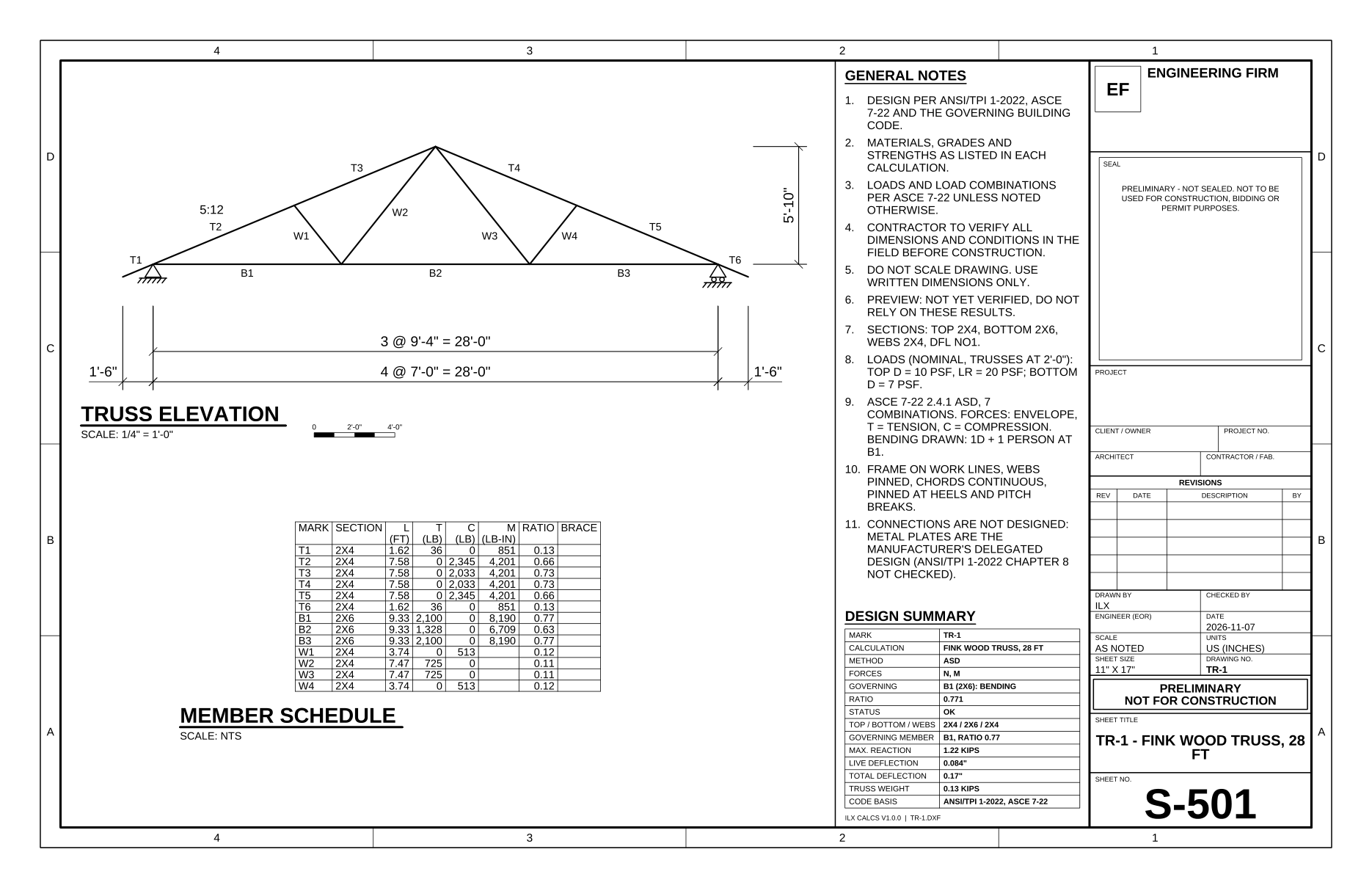
Read it. Member marks (T for top chord, B for bottom chord, W for webs) match the elevation and the schedule. The largest tension is 2.1 kips, compression 2.3 kips, chord moment 8.2 kip-in and reaction 1.2 kips. Live load deflection is 0.084 in, and the roller moves 0.044 in.
The bottom chord governs on the person load on an unsheathed chord panel: an input you can review, not an obvious one.
Taking control #
- Size the members automatically off: enter the sections, and they are checked as they are.
- Members with their own section: one heavy web or chord panel, by the mark in the schedule. The rest keep their group's section.
- Bracing: what holds each chord and the webs out of plane. As needed adds a lateral brace at mid-length of a compression web that fails unbraced, before anything is upsized, and the results name it. These are your judgment, and the braces themselves are your design.
- Auto-design varies the three section groups and fixes the result, which turns automatic sizing off. It never changes the geometry, loads, bracing or code options.
What it does not do #
Connections: Not designed: see the note. No plates, gussets, screws or heels. Read the chapter's Limitations: wood, steel, cold-formed steel.