
Training 15: The section builder
Section properties computes every geometric property of a cross-section. It has no design code and no LRFD or ASD: its status is Calculated. Find it in the Wizard under Utilities.
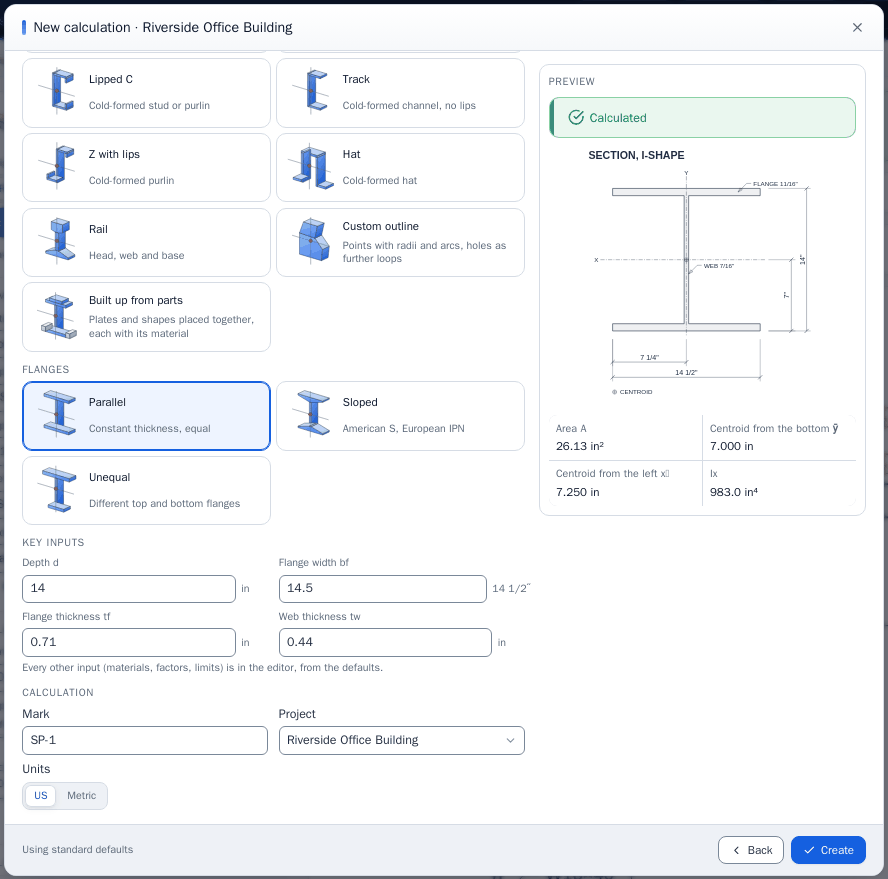
Four ways to describe a section: a Standard shape from the database, a parametric shape, a Custom outline of points, or a section Built up from parts.
Start from a standard shape #
Shape Standard shape (database), Region USA, Family W, Designation W18X35.
| Property | Value |
|---|---|
| Area A | 10.29 in² |
| Ix | 509.8 in⁴ |
| Sx | 57.61 in³ |
| Zx | 66.50 in³ |
| J (finite elements, on the true outline) | 0.5060 in⁴ |
| J thin-walled | 0.4625 in⁴ |
| Cw (finite elements) | 1,136 in⁶ |
| Cw thin-walled | 1,145 in⁶ |
| Weight | 35.03 plf |
Two values of J and Cw appear because they answer different questions. The finite element value is the true one for the outline, fillets included. The thin-walled value is the classical one on the center line, the basis of AISC's tables and of equations that use them. Use the basis your equation assumes.
Add a cover plate #
Shape Built up from parts. In the Parts table:
| Part | Designation | d (in.) | b (in.) | tw, tf | dy (in.) |
|---|---|---|---|---|---|
| Database shape | W18X35 | 17.7 | 6 | 0.3, 0.425 (not used for a named shape) | 0 |
| Plate | 0.75 | 8 | 0.5, 0.5 (not used for a plate) | 9.225 |
Each part is placed from its own origin: a plate and an I at their centers. The plate sits on the top flange: half the 17.7 in. depth plus half the 0.75 in. plate is 9.225 in. Parts may touch, which welds them into one section, but may not overlap.
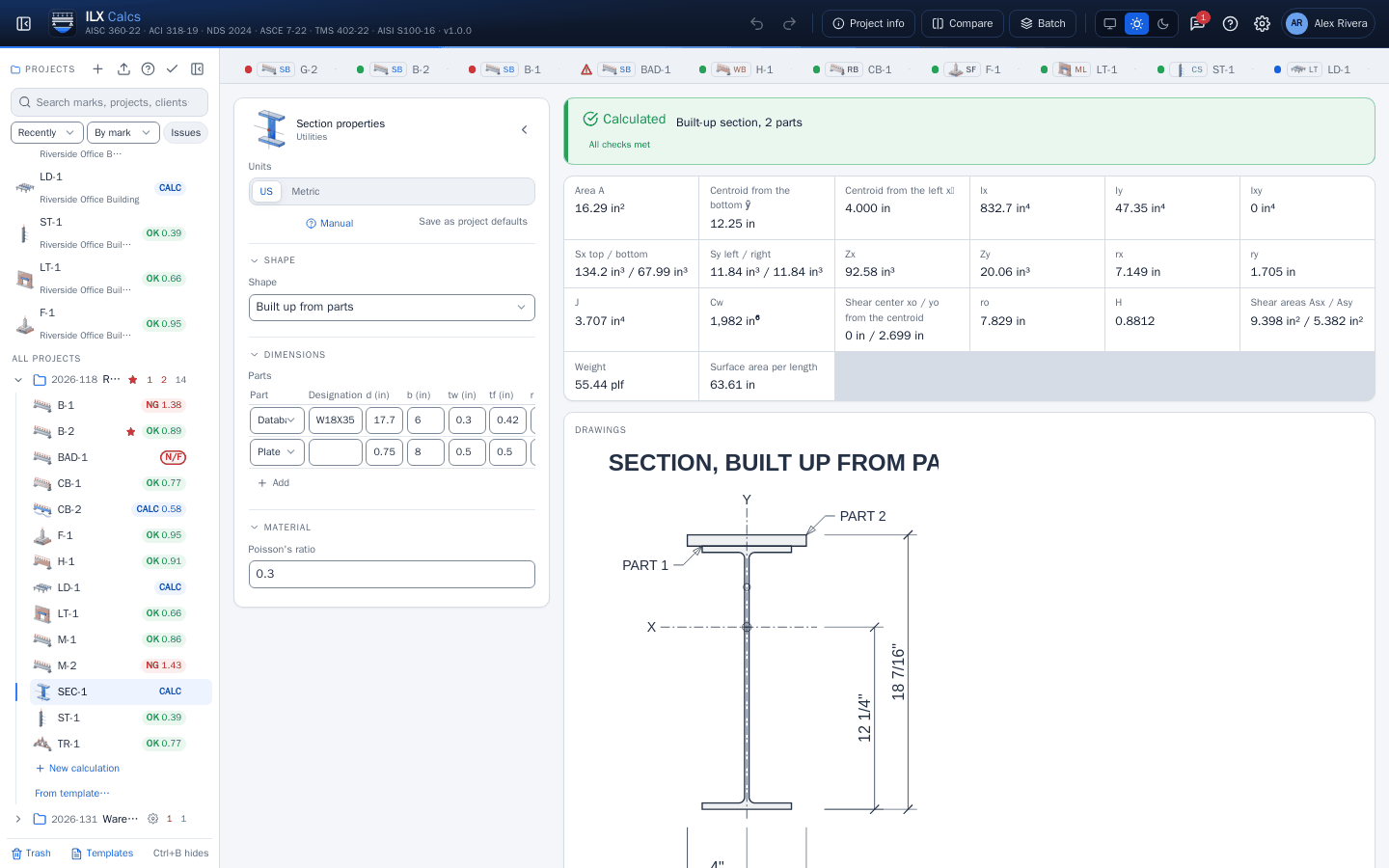
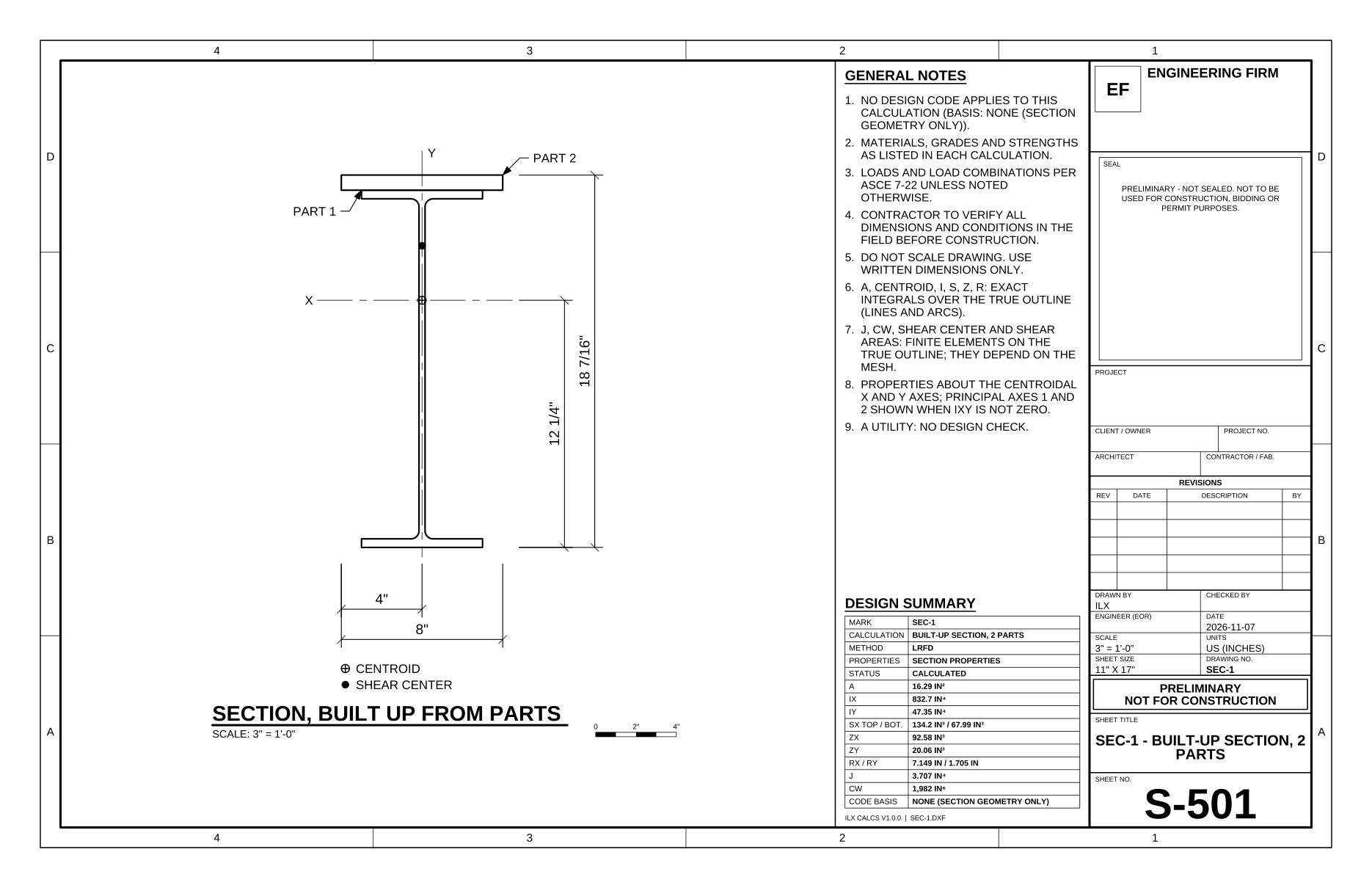
Built-up section, 2 parts:
| Property | Value |
|---|---|
| Area A | 16.29 in² |
| Centroid from the bottom ȳ | 12.25 in |
| Ix | 832.7 in⁴ |
| Sx top / bottom | 134.2 in³ / 67.99 in³ |
| Zx | 92.58 in³ |
| J | 3.707 in⁴ |
| Cw | 1,982 in⁶ |
| Shear center yo from the centroid | 2.699 in |
| H | 0.8812 |
| Weight | 55.44 plf |
Read it. The section is no longer symmetric, so Sx has two values and the shear center moved. The Mesh check row compares the finite element area with the exact one: here 0.00000 %. Beyond 0.5 % the mesh is not trusted and the result is Not feasible.
What to do with the numbers #
The properties do not flow into another calculation by themselves: enter them where a type asks. The builder has no design code, so it checks neither the parts nor the welds that join them.
See Section properties for every shape and method, and for which results depend on the mesh.